Practice platform for UAE service firms
Never miss an obligation.
The ERP tailored for accounting and corporate service firms.
One system for the books and the billable work: recurring obligations with due dates that chase themselves, double-entry accounting, billing and a team that can see its own numbers.
No self-serve sign-up — tell us about your firm and we set you up.
Four files that disagree, or one that doesn't
Same clients, same invoices, same hours. Obtrak keeps them on one record instead of retyped across tabs, so the totals match.
UAE & Freezone compliance
Adapted for UAE service and Freezone firms
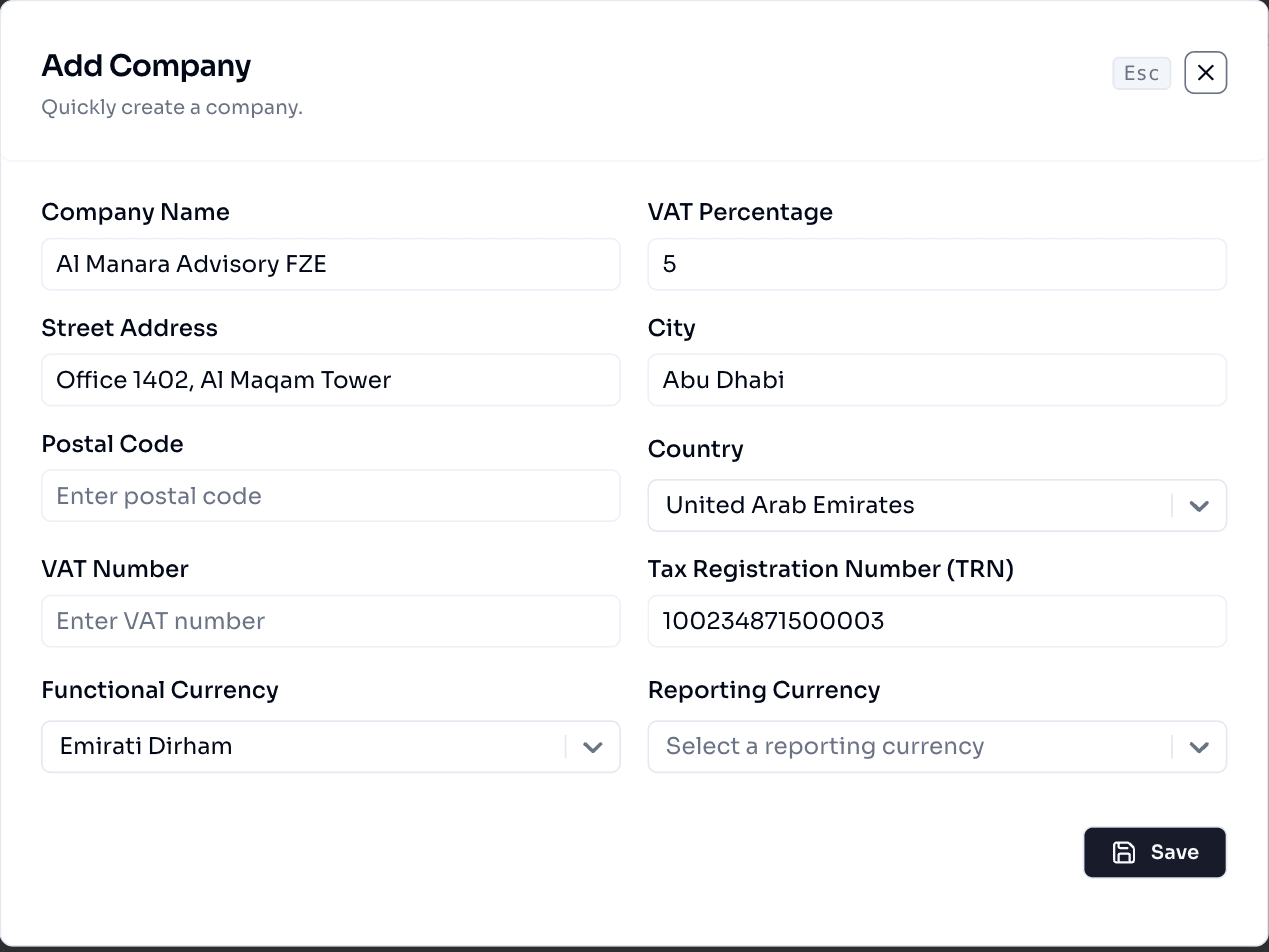
Register a company once with its TRN, VAT rate and functional currency, and every invoice, journal and report for that entity carries it correctly. Freezone entities and mainland companies live on the same tenant without special-casing.
- Tax Registration Number captured per company, validated on entry
- VAT percentage and functional currency set per legal entity
- Freezone and mainland companies run side by side on one tenant
- Emirate, city and address on record for every registered company
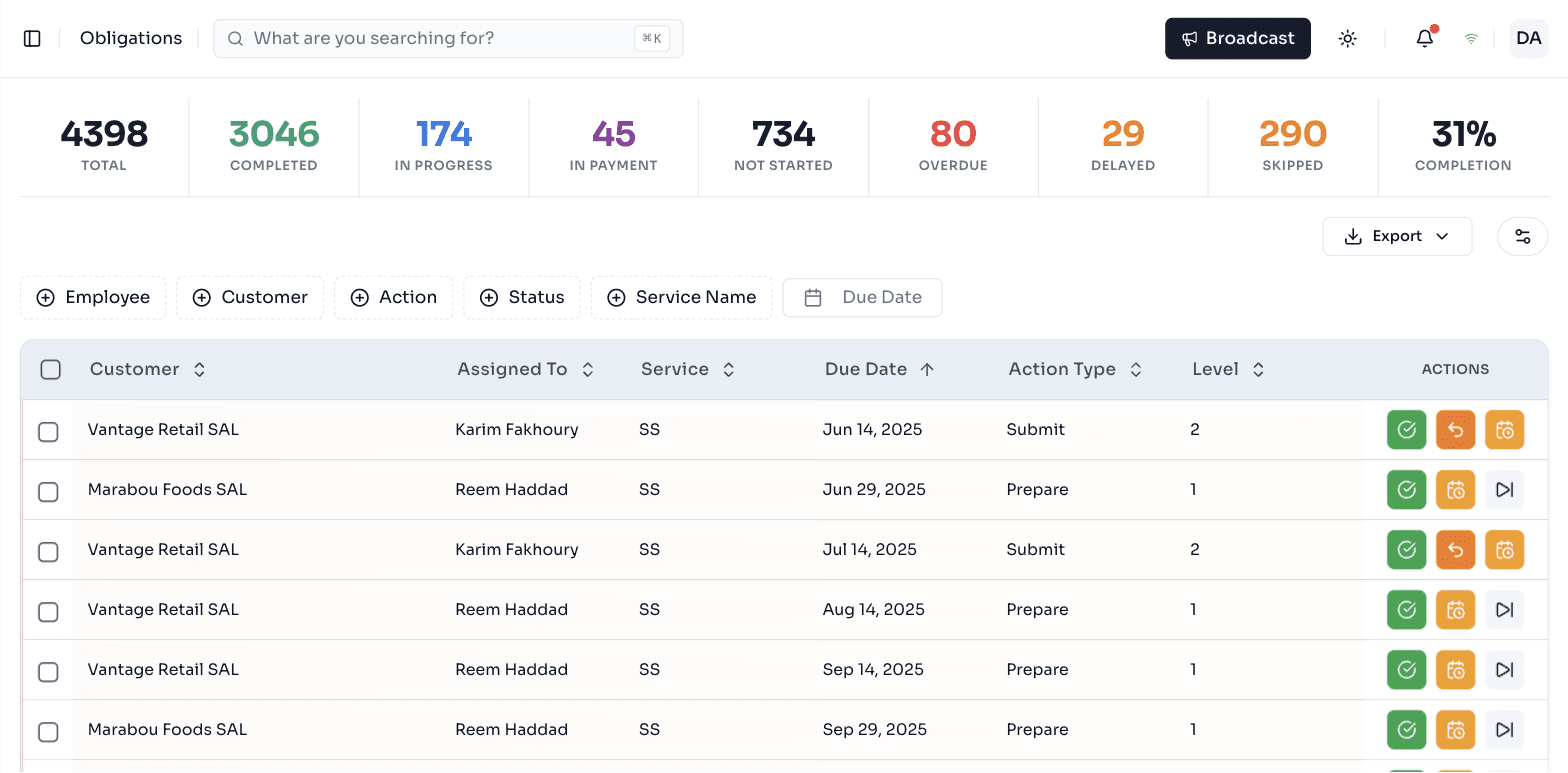
Obligation tracking
Never miss a deadline, at any level
An engagement holds the scope, billing cycle, VAT and renewal dates for a client. An obligation is the recurring deliverable underneath it, moving through levels — prepare, submit, review — each with its own owner and due date.
Recurring obligations, scheduled for you
Define a deliverable once: a monthly VAT return, quarterly statements, an annual certificate. Obtrak generates every cycle, assigns it, tracks the due date, notifies the right people and keeps the full history of what was done, by whom and when.
Sales offers
Generate an offer PDF or Word doc from the engagement, then edit and regenerate it in place without piling up near-duplicate drafts.
Engagement letters
Upload, download and version the signed letters for each engagement, kept on the engagement record.
Accounting
A real general ledger, not a reporting layer
A chart of accounts per company, with tiers and reconcile rules. Journals that keep their own numbering and post to the right account. A general ledger you can filter by year, quarter, department and client. An AR view that rolls outstanding balances up by client.
- Multi-currency, converted to USD for every roll-up
- CSV export on every table
- Every row honours the same permissions as the rest of the app
| Date | Account | Jrn | Debit | Credit |
|---|---|---|---|---|
| 08 Aug | 4000 · Advisory fees | SAL | 12,400 | |
| 08 Aug | 1100 · Accounts receivable | SAL | 12,400 | |
| 11 Aug | 1020 · Main bank | BNK | 9,150 | |
| 11 Aug | 1100 · Accounts receivable | BNK | 9,150 | |
| 14 Aug | 6200 · Subcontractors | PUR | 3,780 |
Billing from draft to receipt
One document moves through the whole cycle. Proforma batches, grouped credit notes and payment allocations are built in, and every document renders a PDF the client receives by email.
- Proforma
Draft and edit; post one or in bulk into AR.
- Invoice
Posted AR with async PDF and customer email.
- Credit note
Single or grouped, post and unpost, PDF.
- Payment
Receipts with allocations, repost, receipt PDF.
Requisition workflows
Expense approval, without the group chat
An employee raises an expense, advance or petty cash request. It routes to the right approver by department or amount, and every approval, rejection and payment sits on one auditable record.
- Expense, travel advance and petty cash in one workflow
- Routing rules by department, vendor or amount
- Every approval and rejection timestamped and attributed
| Reference | Requestor | Department | Amount | Status |
|---|---|---|---|---|
| REQ-2031 | Yasmin Torbey | Marketing | AED 4,280.00 | Pending approval |
| REQ-2030 | Karim Fakhoury | Audit | AED 12,500.00 | Approved |
| REQ-2029 | Dana Aoun | Operations | AED 860.00 | Rejected |
Payroll
Payroll that lands in the ledger on approval
Set up each employee's pay once, per company. A run moves from draft to review to approved, and approving it writes one balanced entry per payslip to the general ledger. Need a correction? Unpost the run, fix it, and approve it again under the same references.
- One element catalog shared across companies, each mapped to its own accounts
- Social security and salary tax set per company, where the jurisdiction needs it
- End of service balances, provisions and advances, per employee
- Salary increases reviewed against each employee's evaluation score
| Employee | Department | Gross (AED) | Net (AED) |
|---|---|---|---|
| Rami Haddad | Audit | 25,500.00 | 23,500.00 |
| Lina Saab | Tax | 19,800.00 | 19,800.00 |
| Omar Nasser | Accounting | 16,200.00 | 15,390.00 |
| Account | Debit | Credit |
|---|---|---|
| 6100 · Basic salary | 18,000.00 | |
| 6110 · Housing allowance | 6,000.00 | |
| 6120 · Transportation | 1,500.00 | |
| 1150 · Employee advances | 2,000.00 | |
| 2410 · Net pay · Rami Haddad | 23,500.00 | |
| Balanced | 25,500.00 | 25,500.00 |
Increase your income
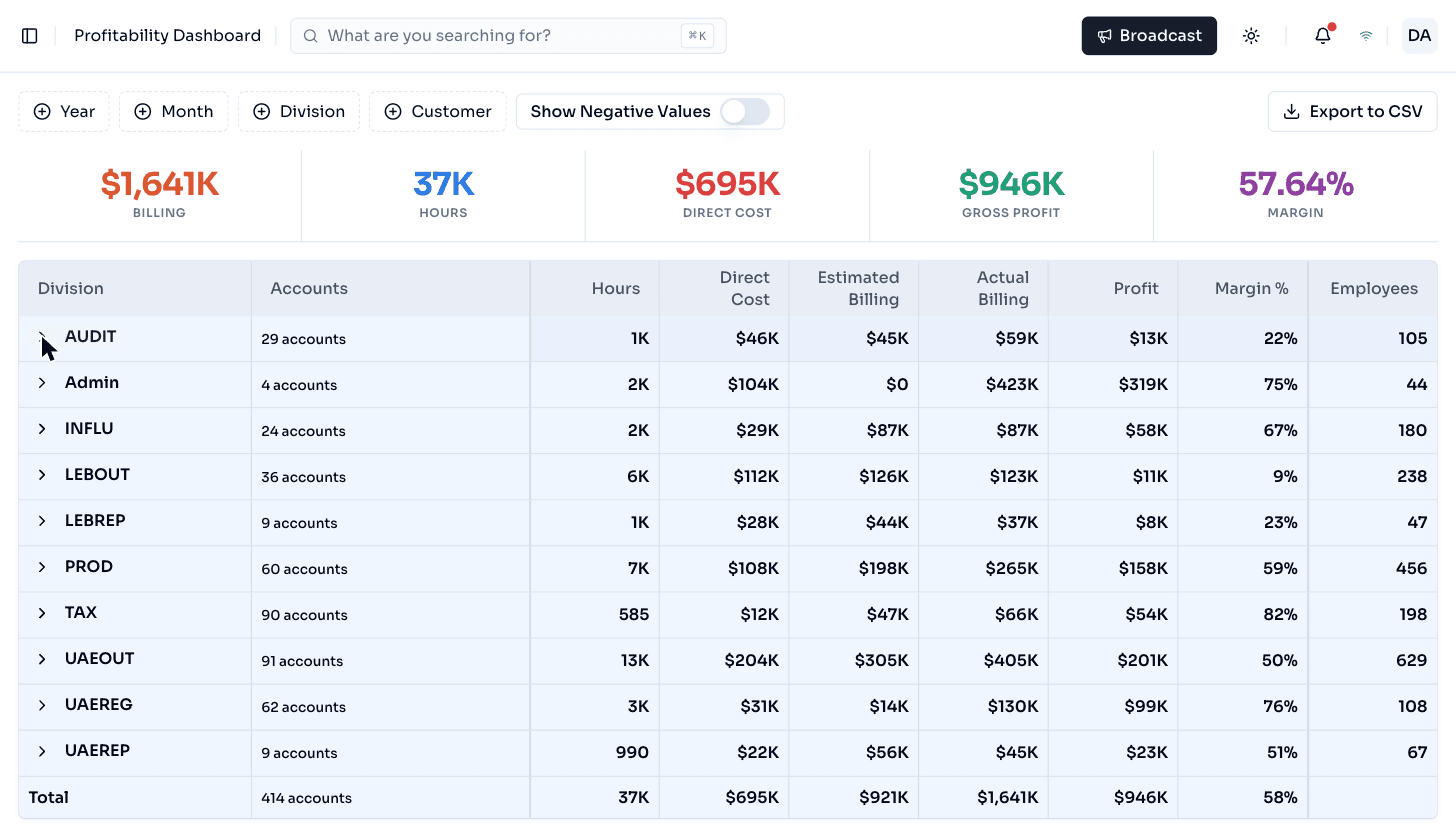
Team profitability, already reconciled
Real hours against real billing, by division, with margin and headcount side by side. No spreadsheet stitched together at month-end — the same figures the revenue, productivity and time dashboards read from.
Operations
The rest of what a practice runs on
The finance modules sit next to the operational ones, on the same team, client and time records. Pick a module to see a slice of its dashboard.
Delivery
People
1,240 hours logged across 214 working days
Every hour lands against a client, a location and a tag. Working-from-home and travel roll up on their own lines, so recoverable time is a query, not a spreadsheet exercise.
Our promise
Increase your customers without worrying about chaos.
10x your sales with the team you already have.
Books, billing and delivery on one record — nothing to reconcile.
Recurring work is scheduled and assigned automatically.
Every completion, delay and approval is logged, by whom and when.
Case study
EK Finance runs its practice on one system
“We moved our client book, our recurring deadlines and our billing onto Obtrak. The team sees what is due and who owns it, and finance works from the same records instead of a stack of spreadsheets.”
Sign up for a demo
Scale your business at ease
Tell us about your firm and what you're trying to solve. We will walk you through the modules that matter to you and set your tenant up ourselves — there is no self-serve sign-up.
- A working session on your obligations, billing and team
- Onboarding done with you, not a self-serve wizard
- Or reach us directly at [email protected]
New practices are onboarded by our team
There is no self-serve sign-up. Tell us about your firm and we will set you up. Already have an account?